Want to create a new Arrowhead style, here's how.
On the Manage Tab select Additional Settings.
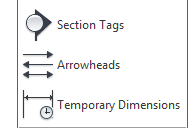
 Scroll down and you'll find the Arrowheads icon.
This will open up the Type Properties for the Arrowhead System Family.
Here you can now duplicate the Type to create a new style.
Through the type Properties you can now select a new Arrow Style from the drop down list.
 Depending on which style you pick you can then check the tick box to fill the arrow head and also change the Arrow Width Angle to stipulate how wide you want the arrow to look and also manage the Tick Size.
These parameters will become active according to the Arrow style you select.
On the Manage Tab select Additional Settings.
This will open up the Type Properties for the Arrowhead System Family.
Here you can now duplicate the Type to create a new style.
Through the type Properties you can now select a new Arrow Style from the drop down list.

These parameters will become active according to the Arrow style you select.

